Roger
A four-wheeled robot I built from scratch to learn what it actually takes to give an AI a body. Claude decides what to do, ROS 2 does the driving, and a hardware safety chain sits underneath.
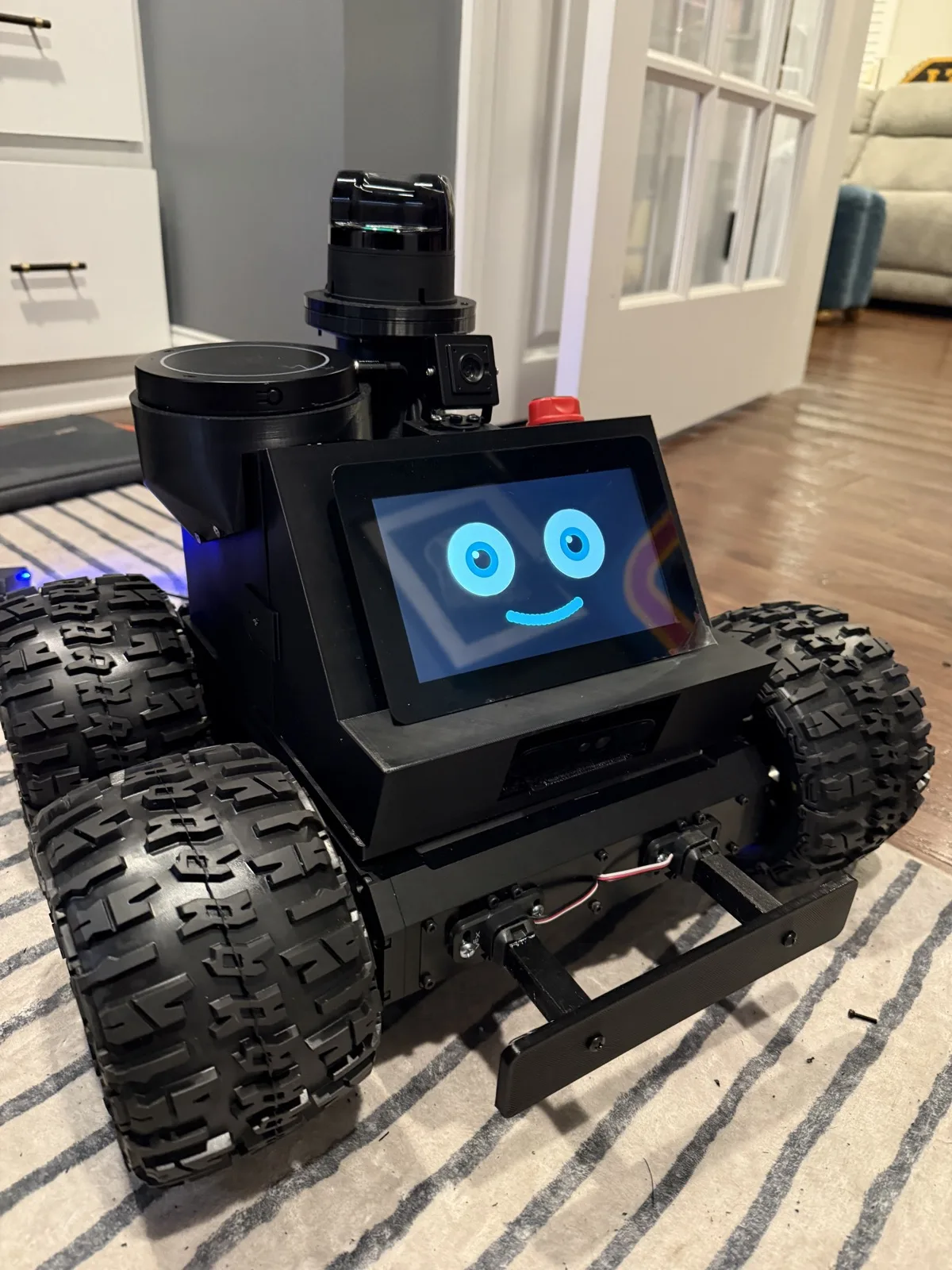
I wanted to really understand what it takes to create an autonomous robot from the ground up, so I built one. It’s a four-wheeled robot running Claude and ROS 2 with autonomous-exploration potential. Right now, he plays games with my kids.
Through this whole build my youngest has been asking me the same question: “But what will it do?”
I have not had a good answer. I still don’t, really. And that’s because I didn’t start this with a use case, or a problem to solve, or a product in mind. I started it because I wanted to understand how you actually build a robot, all the way down the stack. The electronics, the wiring, the physical form, the software that makes the thing move and think. I wanted to build something, and that mattered to me more than the reason for building it. I will say, given the expense and time, I probably should have a good use case for this build, but I am hoping Roger will reveal that to me over time.
Oh yeah, the kids named him Roger.
This is not a kit
It would have been less expensive and easier to start with something off the shelf, but as my wife will tell you, I rarely take the inexpensive and easy route. The one thing I could buy as a finished system was the driving base: an A4WD3 Rugged Rover frame and its four motors. But that’s it. Everything sitting on top of that frame, I had to source separately and integrate together.
The power system, the wiring, the safety chain, the printed body, the sensor stack, the voice, the face, the brain: all of it from the ground up. So I did what so many of us do: I watched a lot of YouTube and tried to suss out what I needed to do. Every layer was a decision, and most of them I got wrong at least once before I got them right.
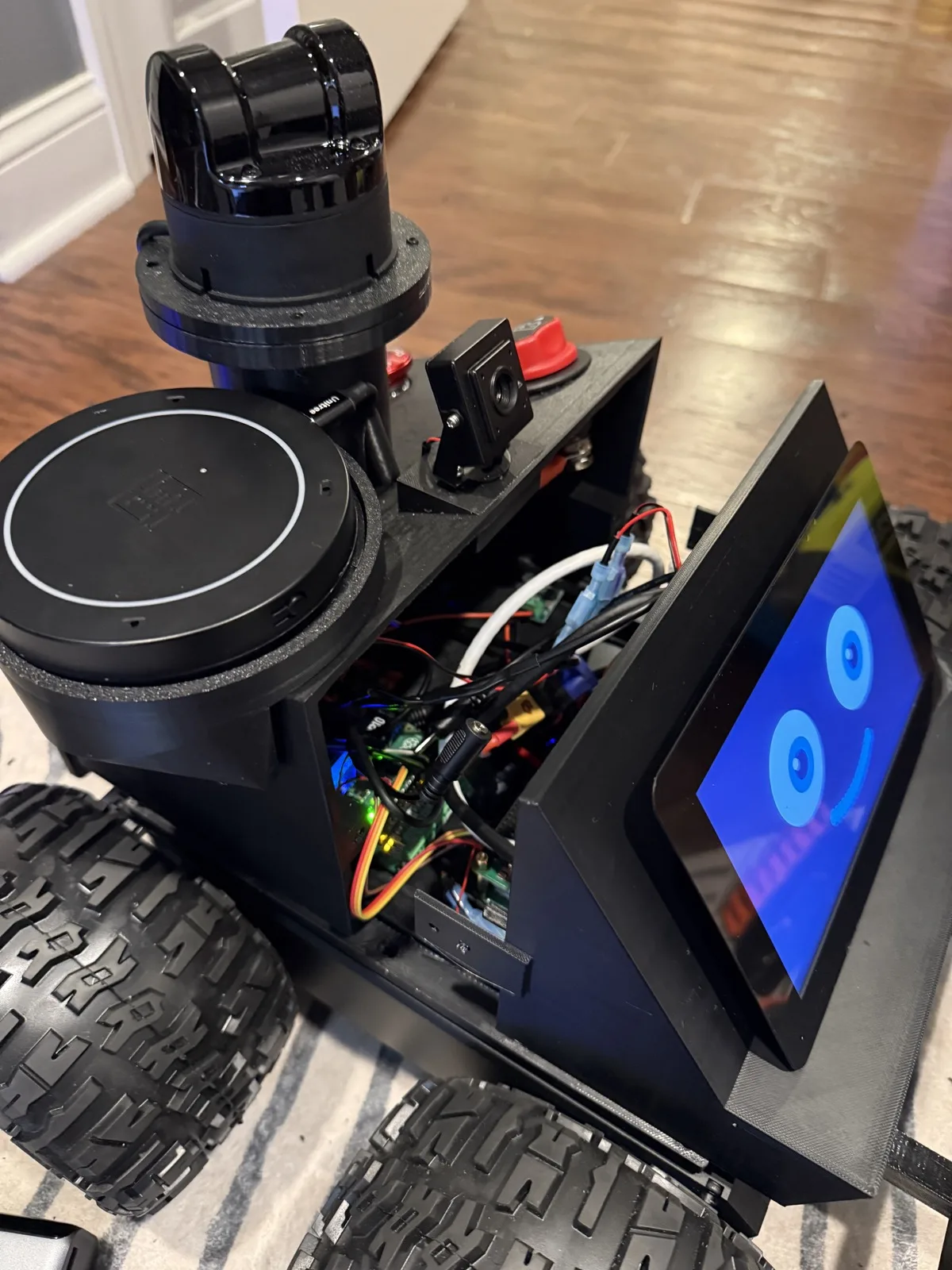
The photo above is the most honest one. Underneath the clean black shell is a dense knot of power rails, a motor controller, a Raspberry Pi, a safety microcontroller, and more USB cable than should fit in that space. Learning to make all of it coexist, reliably, on battery, was most of the actual work.
I set one rule at the start
Before anything else, Roger had to be able to navigate and drive on his own. Not by remote control, fully on his own. So that was the mission, and everything else, I hoped, would fall into place after that.
Right now, he can drive, watch what is in front of him, and successfully go around things instead of into them. It looks simple, but getting to “simple” took over a month.
Driving on his own means Roger has to perceive the room for himself: see what is around him and judge how far away it is, in every direction. That one requirement drove the whole sensor stack.
The spinning sensor up top is a lidar ↗. It measures distance in every direction, so Roger knows the shape of the room around him. It can detect objects up to 30 meters away, and has a wide field of view for depth scanning. That, plus the 3D camera ↗ angled toward the floor, keeps Roger on a solid course.
The lidar and the camera are only part of it. Here is the full map of what got bolted, wired, and printed onto that frame.
What’s inside
The diagram shows what you can see. Packed inside the shell is the part that actually runs him:
- Raspberry Pi 5. The main computer. It runs the operating system, the navigation software, and the voice loop, and it is the one thing that talks to Claude.
- RoboClaw motor controller. It takes simple “drive this far” commands from the Pi and turns them into power for the four motors, and reads the wheel encoders back so Roger knows how far he actually went.
- Raspberry Pi Pico. A tiny second microcontroller with one job: the safety watchdog. The Pi sends it a steady heartbeat, and if that ever stops or a bumper is hit, the Pico cuts the motors. It sits below the smart part on purpose.
- Powered USB hub. One place for the microphone, both cameras, and the sensors to plug into, with enough power of its own to keep them all reliable.
- Step-down regulators. The battery puts out one voltage and every board wants a different one, so a set of regulators takes the pack’s power and hands each part the clean voltage it expects.
How he’s built to think
The most important decision in the whole project is what Claude is and is not allowed to do.
Roger is built in three layers. Claude sits on top. It listens to you, works out what you meant, and picks a task. It can decide “drive to the couch.” It can never say “spin the left wheels at forty percent.” The navigation software sits in the middle: standard robot software, ROS 2 ↗ and Nav2 ↗, that handles the actual driving, plans a route, and reacts to obstacles in milliseconds. The hardware sits at the bottom, with a safety chain that lets me cut power to the motors no matter what the software is thinking.
Why keep Claude out of the driving? Because Claude takes too long to think. The few seconds it takes is fine for deciding where to go, but it’s a terrible way to react to a kid running in front of you. The navigation software reacts instantly and never gets confused about it.
How he hears and talks
Roger drives himself, but you steer him by talking to him. You say “Hey Roger” and he wakes up. A wake-word listener runs on the robot the whole time, just waiting for his name. From there he records what you said, turns it into text, hands that to Claude to work out what you meant, and speaks the reply back out loud through his own speaker.
His face keeps pace the whole time: a green ring while he is listening, eyes that wander while he thinks, a mouth that moves with the words while he talks. Almost all of it runs on the robot itself. The only thing that ever leaves the box is the question he sends up to Claude.
Designing the body
Roger’s frame was where I struggled the most. Laying out how I was going to fit all of this into a small body was a big challenge. I tried bolting on a simple tray to give myself a little more room, but that wasn’t enough. So I designed an entire upper enclosure from scratch, measured it, printed it, measured again, and printed it again. I’ll go into more depth on that whole process in a future field note.
So, what does he do?
Right now, he can move around autonomously and play games with my kids.
My daughters seem pretty happy with Roger so far. I picked games to build that use the three things Roger has going for him that a tablet doesn’t: a touch screen, real movement, and a voice. Four made the cut.
- Tic-tac-toe. The classic, played by tapping his touchscreen. He plays back.
- Memory. A grid of tiles to match from memory, all on his face screen.
- Roger Says. Simon Says with Roger as the caller. He says each move out loud and shows it on his face, speeds up as the round goes, and slips in traps, a command with no “Roger says”, to catch you out.
- Dance Party. He cues up a beat and spins his wheels in place, mostly for the noise and the delight.
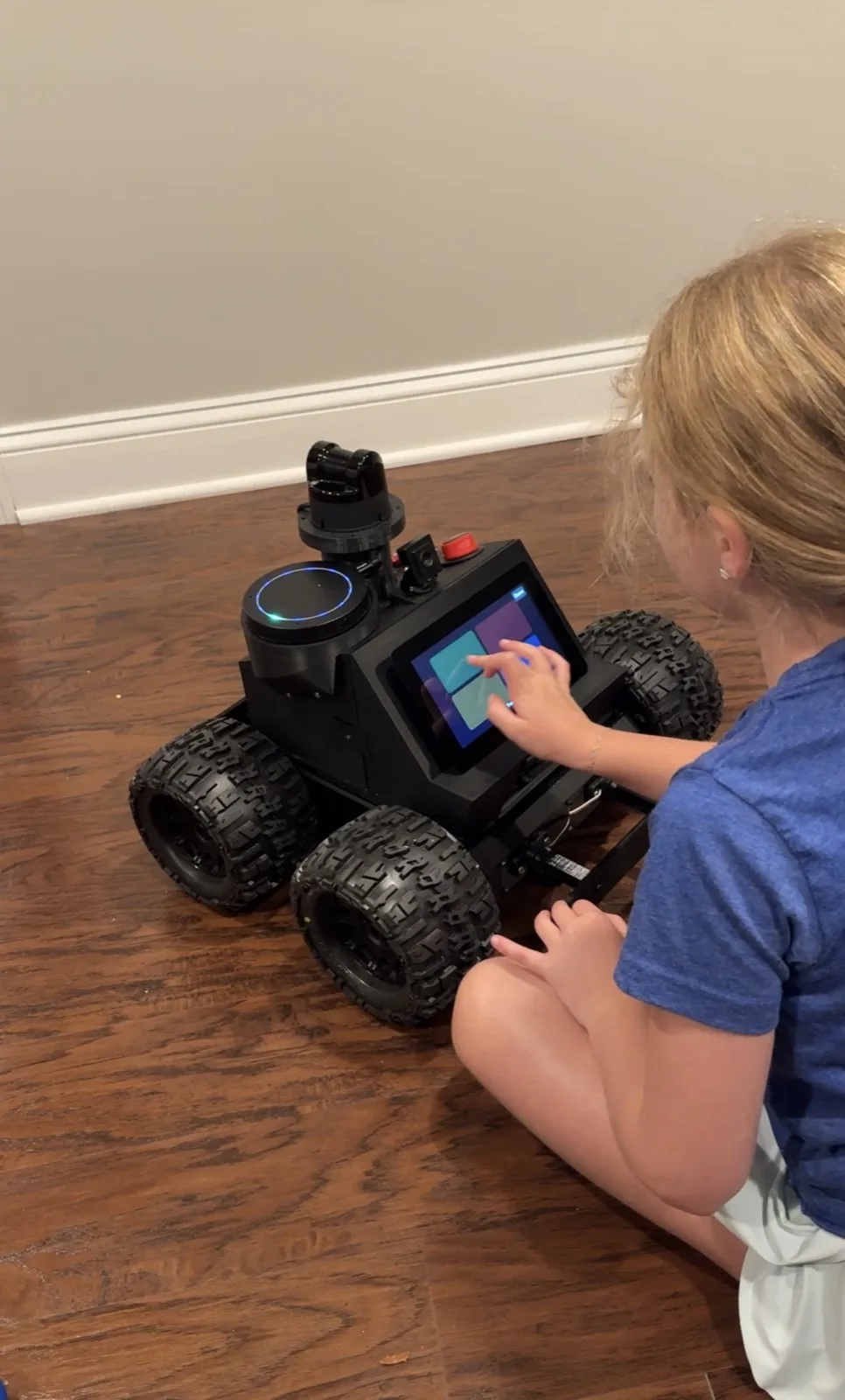
The games turned out to be the best test bench I could have asked for. Kids do not follow the happy path. Every rough edge in the voice pipeline, the timing, the way Roger listens, showed up within a minute of handing him to them. It’s a brutal but great UX research experience.
What’s it really for?
I honestly still can’t say. I set out to learn what it takes to give an AI a body, and I did that. I wanted to experience the whole thing, from wiring a motor controller wrong, to designing a body that would not bolt together, to learning that lidars spin fast and loud and probably shouldn’t be mounted right next to a mic array.
Listen, I still don’t know what Roger is ultimately for. But that was never the point, and now that he drives, sees, talks, and plays, the question of what he should do next is a much better problem to have.
I’m writing this project up phase by phase below, as I go: the build, the voice, the first time he moved on command, and eventually teaching him to navigate a whole house on his own. Each note is a chapter. This page is the cover.
Field Notes
A running log of updates from this experiment, newest first.
- Sep 1, 2026 Coming soon The first time Roger moved on command "Hey Roger, move forward one foot." And he did. Twelve inches, measured on the floor. The milestone the whole project was pointed at.
- Aug 29, 2026 Coming soon Wiring a robot from the ground up The only thing I bought finished was the frame and four motors. Everything on top of it, I had to figure out. Here is what 'from the ground up' actually meant.